
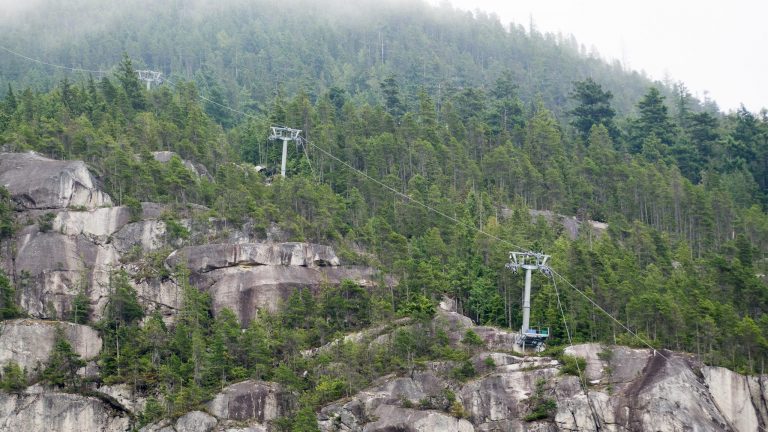
On August 10, 2019 in the early morning, the haul rope on the Sea to Sky Gondola was discovered to have snapped. The gondola was not in operation at the time of the incident. I went to take some photos of the aftermath.
Photography
On Creative Commons licensing and SeaBus photos

One of the nice things about releasing photos on Flickr with a Creative Commons license is that once in a while there’s a nice surprise when you see your photo used on another website. Last week, Vancity Buzz posted an article summarizing a bit of Seabus history with photographs which included some of my SeaBus photos. Many of the photos that were used from my collection were taken during the APTA conference here in Vancouver in 2010. I was able to take a tour of the SeaBus operations and maintenance centre and get a unique glimpse to the areas of the Burrard Pacific Breeze Continue Reading
A photo of UBC used in a Vancouver blog
It’s pretty cool when you see your photo being used by other people on their sites. @cliveleung pointed out that one of my photos of UBC was used on Hello Vancity’s blog today, talking about UBC ranking 25th in the top 100 universities worldwide. Here’s the original photo:
Schmap Vancouver: Photo Short-Listed
I just got this email today: :: Schmap: Vancouver Photo Short-list Hi Dennis, I am writing to let you know that one of your photos has been short-listed for inclusion in the fourth edition of our Schmap Vancouver Guide, to be published mid-November 2007. http://www.schmap.com/ (URL snipped) Clicking this link will take you to a page where you can: i) See which of your photos has been short-listed. ii) Submit or withdraw your photo from our final selection phase. iii) Learn how we credit photos in our Schmap Guides. iv) Browse online or download the second edition of our Schmap Continue Reading
Finally fully working camera again, and some buses in the snow
In August of this year, some pressure from an unknown source cracked my LCD screen, and since then I have been using it without an LCD screen (quite difficult, but still usable). A week ago, I ordered a replacement LCD from Foto Geeks and I received it today (coincidentally the day I was home). Following Andy’s LCD replacement tutorial I successfully replaced the cracked LCD screen I have had almost for half a year. Wondering what the cracked LCD looks like? The replacement was without problem except I made two scratches on the backlight, and nearly damaged the backlight ribbon Continue Reading