

One of the nice things about releasing photos on Flickr with a Creative Commons license is that once in a while there’s a nice surprise when you see your photo used on another website. Last week, Vancity Buzz posted an article summarizing a bit of Seabus history with photographs which included some of my SeaBus photos. Many of the photos that were used from my collection were taken during the APTA conference here in Vancouver in 2010. I was able to take a tour of the SeaBus operations and maintenance centre and get a unique glimpse to the areas of the Burrard Pacific Breeze Continue Reading
A week with the Google Glass
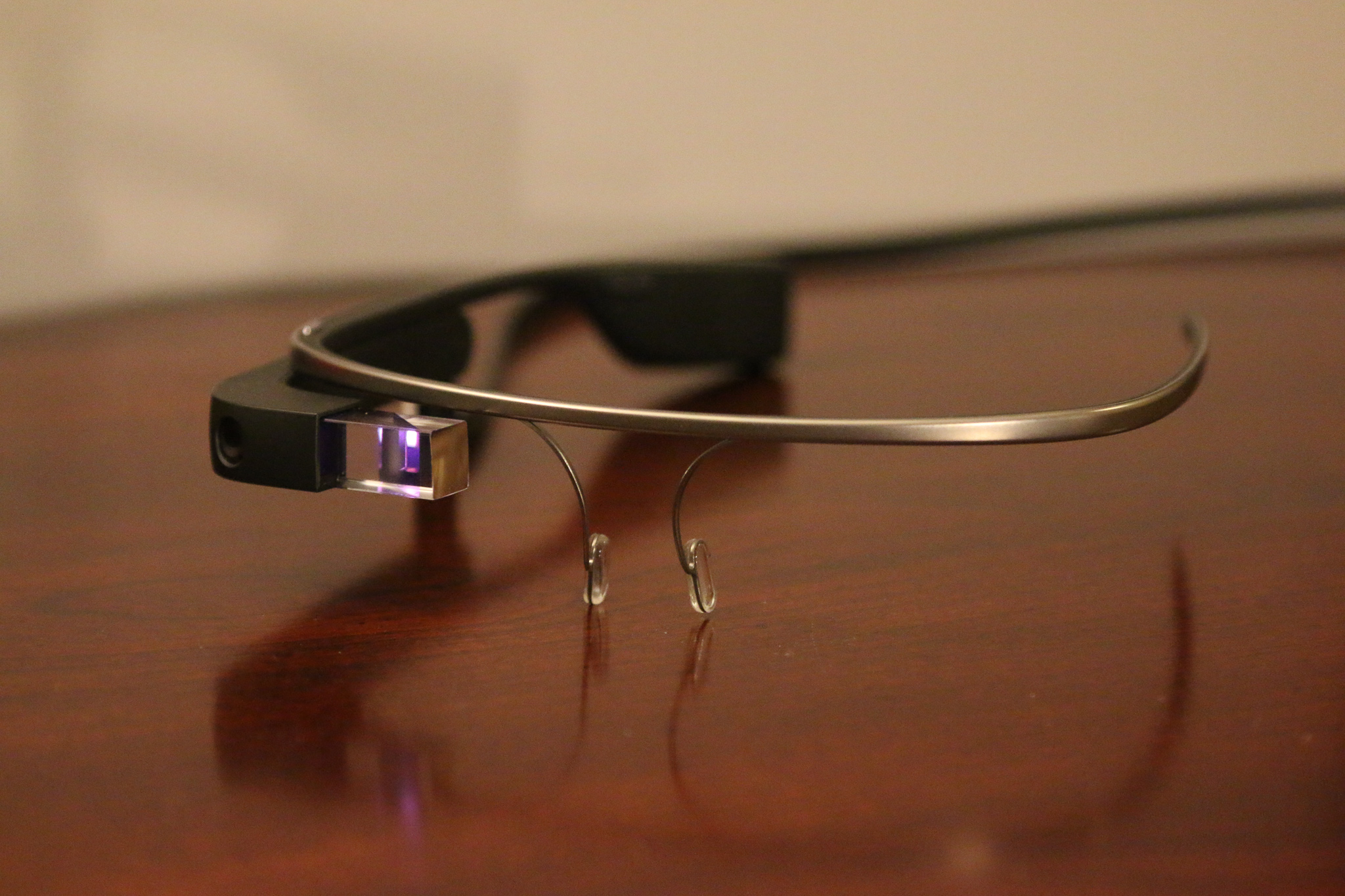
I had the opportunity to borrow the Google Glass from my workplace last week. Google Glass is a wearable miniature computer mounted on a frame you wear like glasses. It has a small display that you can see through on the right eye. Glass is still in the development process and these units aren’t the final product, so some of the issues may be solved by the time the final product ships. First impressions The Google Glass I had borrowed was one without prescription lenses. Since I need to wear my own glasses, it was hard for me to get the Google Glass Continue Reading
Ignite Your Torch 2014
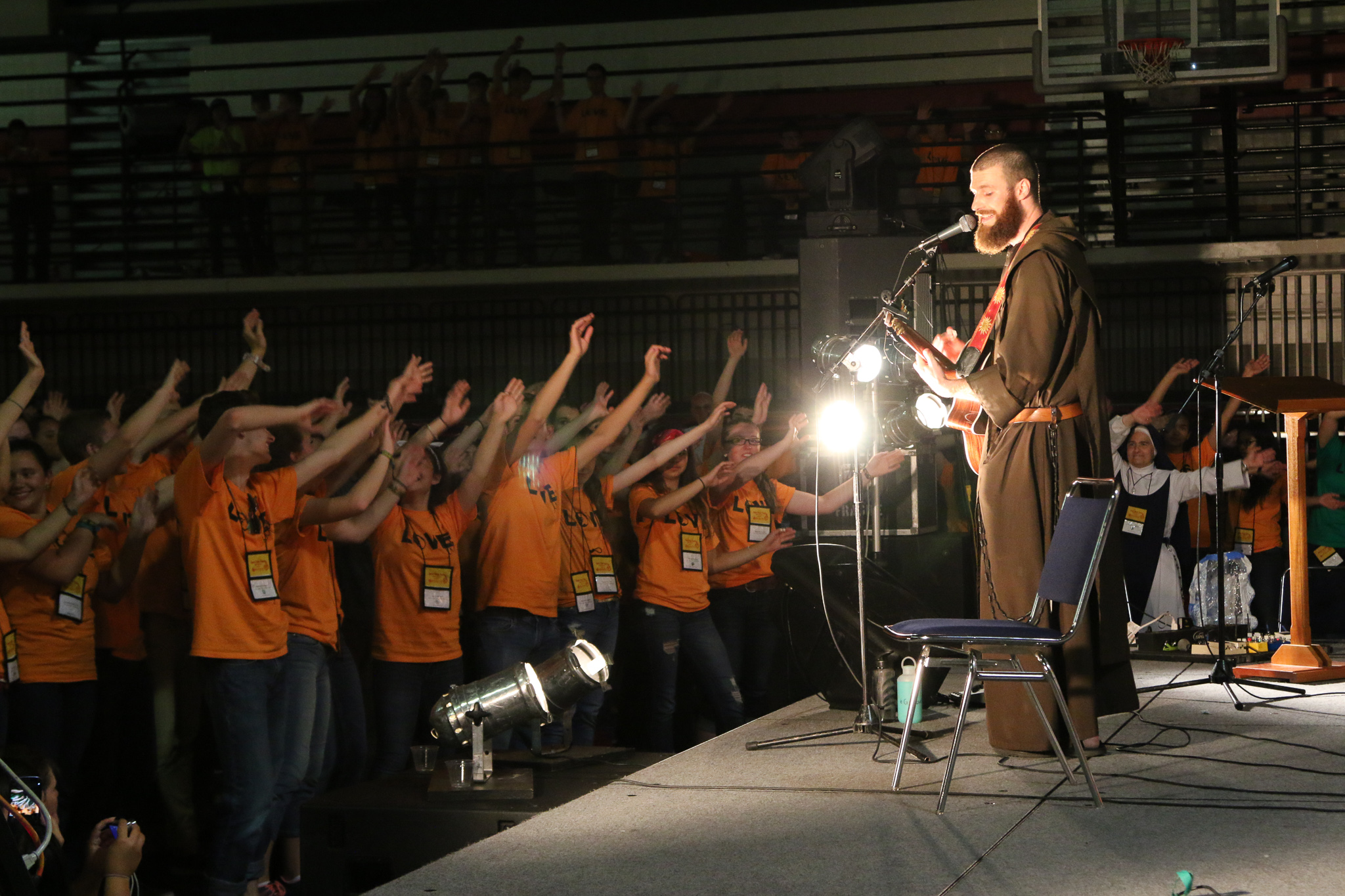
Two weekends ago, I co-chaperoned four youth from our parish on a trip to Ignite Your Torch NW, a Catholic youth conference held at St. Martin’s University in Lacey, WA. I thoroughly enjoyed the experience, and this blog post documents a bit of that.
Nooner at the Nat

Yesterday, we had a company outing to a baseball game at Nat Bailey Stadium (Vancouver Canadians vs. Everett AquaSox). I believe this was the first time I have watched a sports game in person, so it was quite exciting even though it wasn’t MLB. The first few innings weren’t really interesting with quick outs. Vancouver finally scored a few runs to win the game. Watching in person has its benefits and drawbacks. The benefit is that you get to see everyone on the field, but the drawback is that you’re confined to one viewing angle. The TV definitely offers better angles during the pitch. This Continue Reading
More Detailed Wi-Fi Info on Mac OS X
The option button can be used to reveal hidden options and information in various places around Mac OS. One example of this is if you option-click the Wi-Fi icon in the menu bar, you will be presented with additional information about the network you are currently connected to, including the type of the Wi-Fi you’re using, the base station’s MAC address, the frequency channel you’re on, and the strength of the connection, among other details. In addition, there is an additional option to open Wireless Diagnostics which might be able to help you with Wi-Fi issues (however, in my experience Continue Reading